How it works
A day run from one screen.
No hunting across a phone, a spreadsheet, and a stack of sticky notes. Open Command, work the queue it gives you, and close the loop before you move to the next name.
Morning
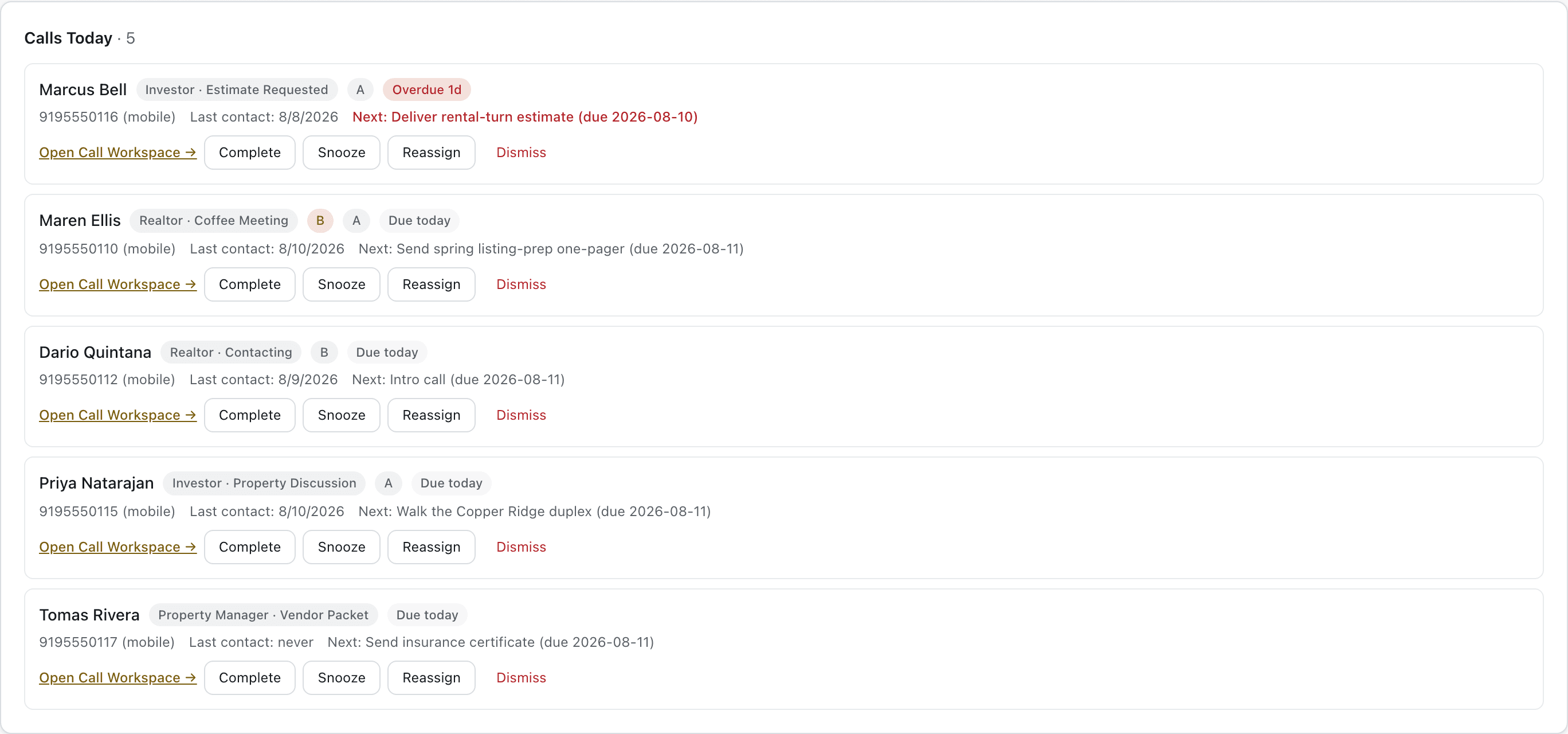
Open Command and work Calls Today.
Every entry in the queue carries a reason — a follow-up that was agreed to, an estimate going quiet, a referral partner who's gone dark. Nothing is on the list without a reason attached to it.
The call
The call isn't complete until the next action is clear.
- Research
- Call
- Outcome
- Next action
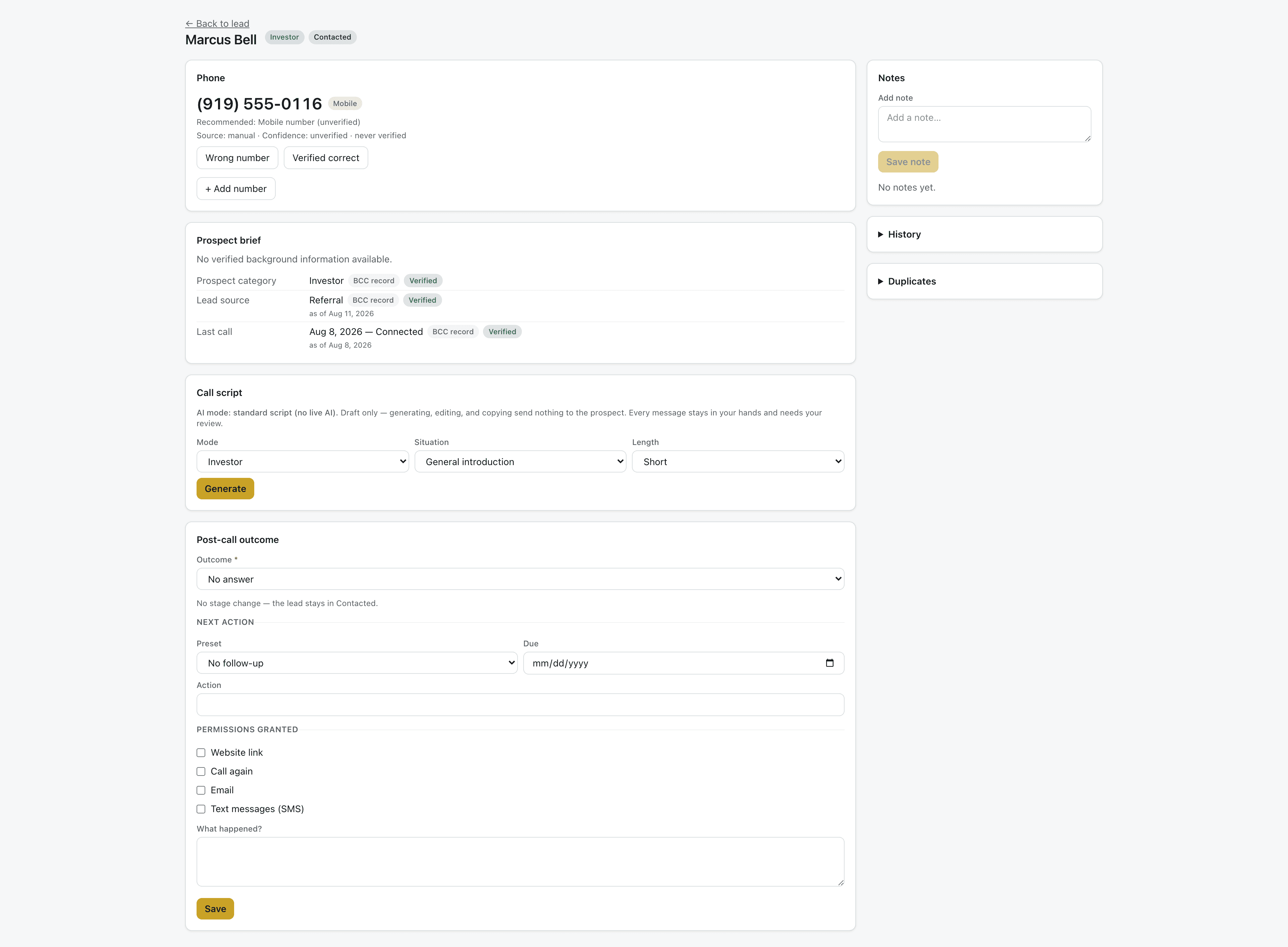
Before the call, Command surfaces a prospect brief and the recommended number, with how recently it was verified. During the call, a working script gives the team a starting point for the audience and situation. Scripts are drafts — a person decides what to say, and every outreach message waits for human approval.
- Recommended number, with how recently it was verified.
- Scripts are drafts — a person makes every call and approves every outreach message.
- Outcome and next action recorded before the page lets you move on.
The relationship
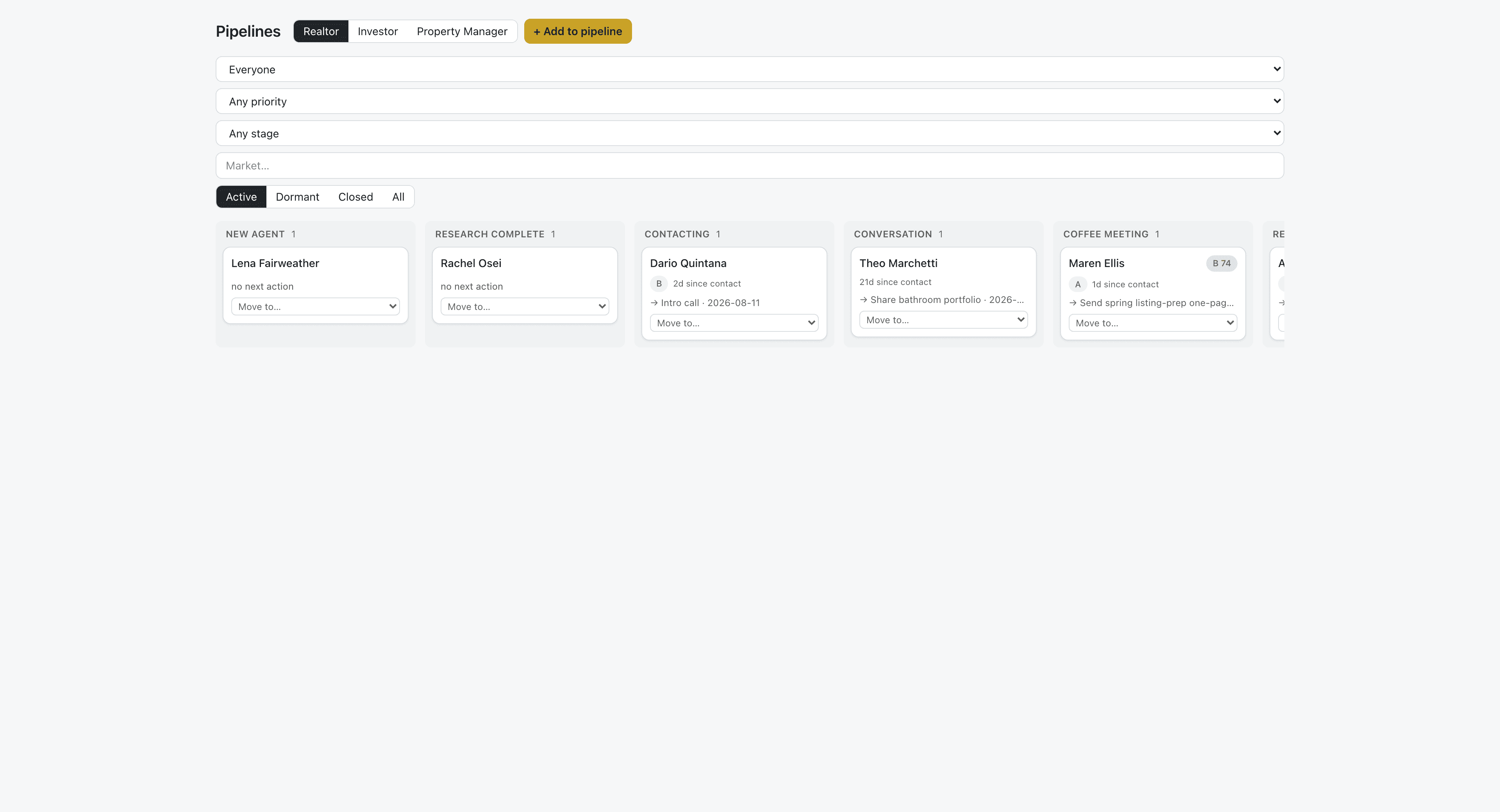
A voicemail is activity. It never moves the stage by itself.
Stage moves are explicit human actions. A team member decides a relationship has changed and marks it — the history of how it got there is preserved, not overwritten.
The week
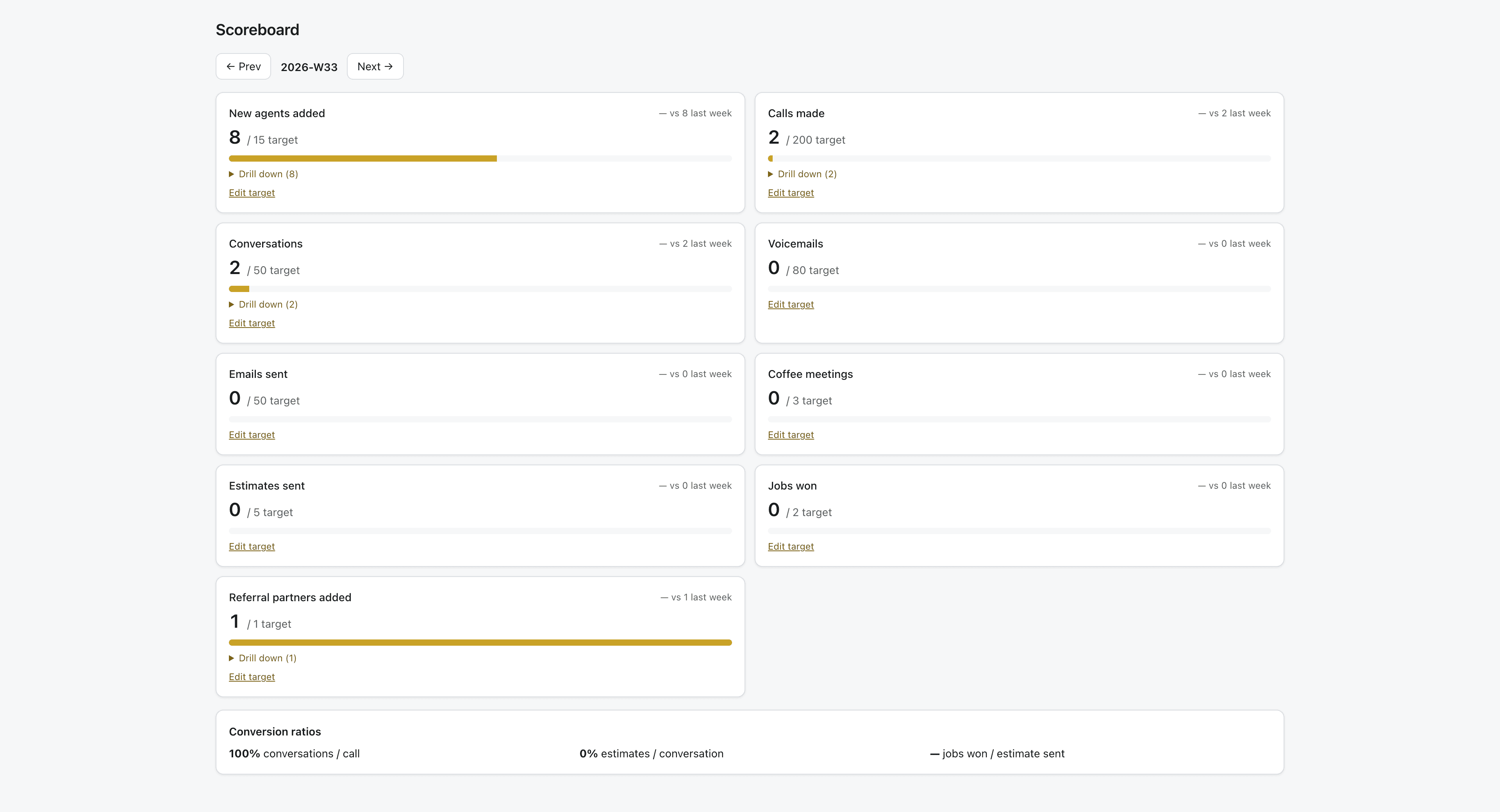
Friday is a scoreboard review, not a guessing game.
Targets against actuals — calls made, estimates sent, pipeline moved — so the team knows what happened this week instead of assuming it.
From first conversation to repeat business
The same loop, every time.
BCC follows revenue past the CRM boundary: estimates become projects, projects come from referrals, and referral partners get credited and thanked.
- Lead
- Research
- Conversation
- Estimate
- Project
- Referral
- Repeat business